Knowledge base

TraviPilot guides

Practical steps and the few important limits that keep everything running smoothly.

Guide

Building

Plan and manage building queues.
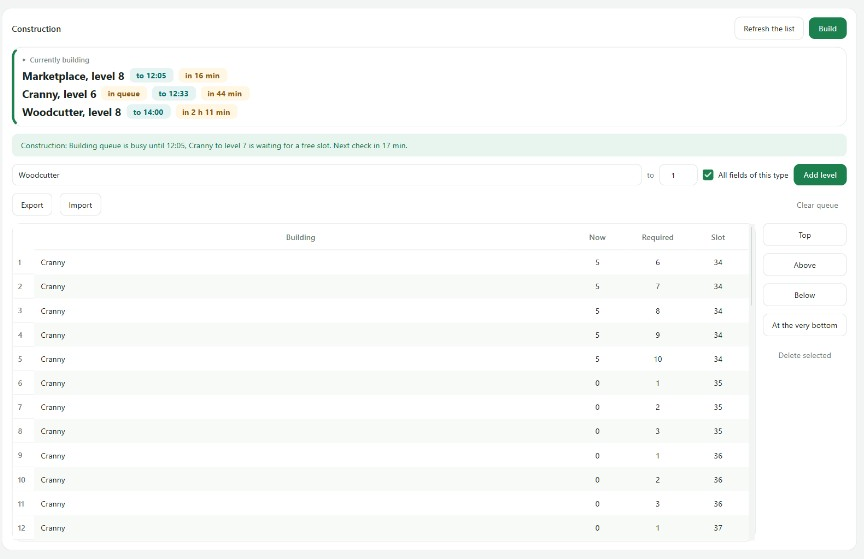
TraviPilot building queue with current upgrades and target levels
The building queue shows current levels, targets, tiles, and the active construction.
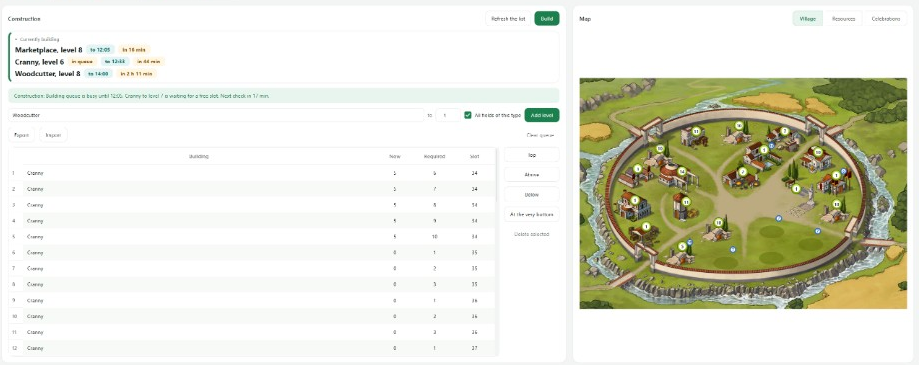
TraviPilot construction queue next to the interactive village map
Construction queue and village map
  1. Choose a village and open Building.
  2. Add goals from the list or select a tile on the map.
  3. Drag items into the order you want.
  4. Choose “Run now” for an immediate check.
Keep in mind
  • The reason for a pause appears beside the queue.
  • The planner does not require Travian Plus.